
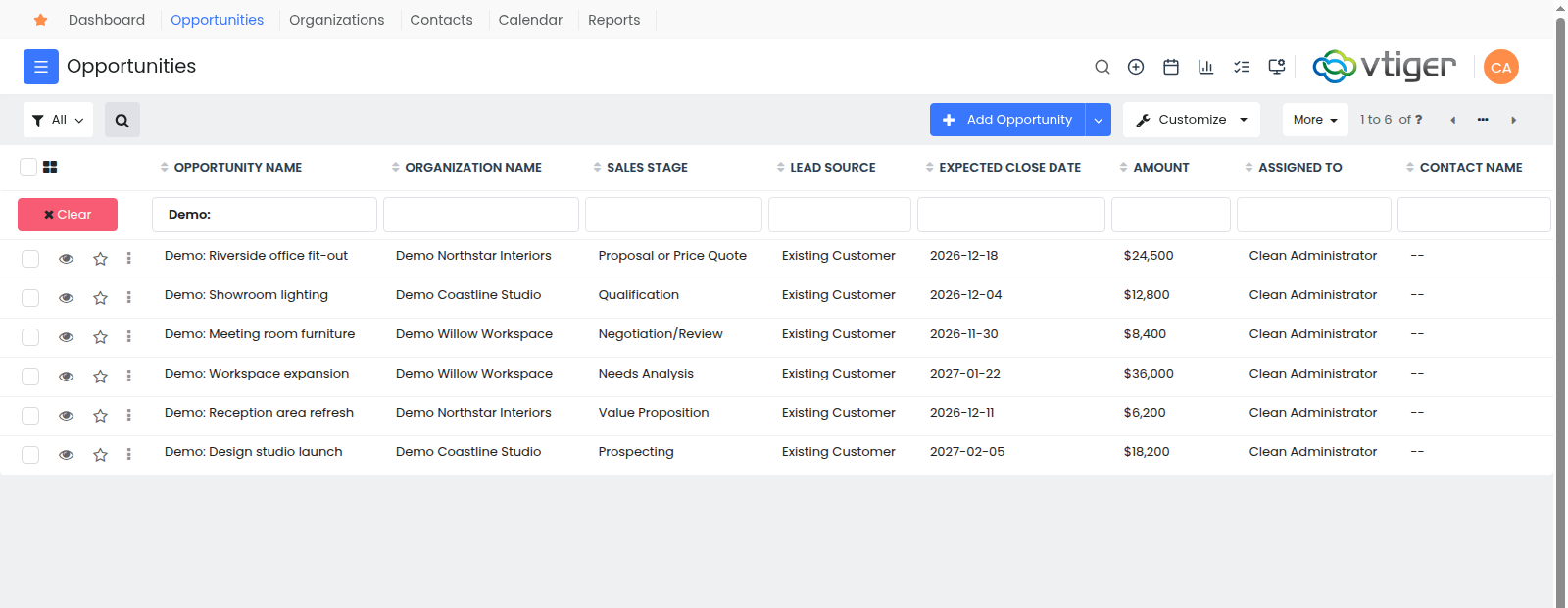
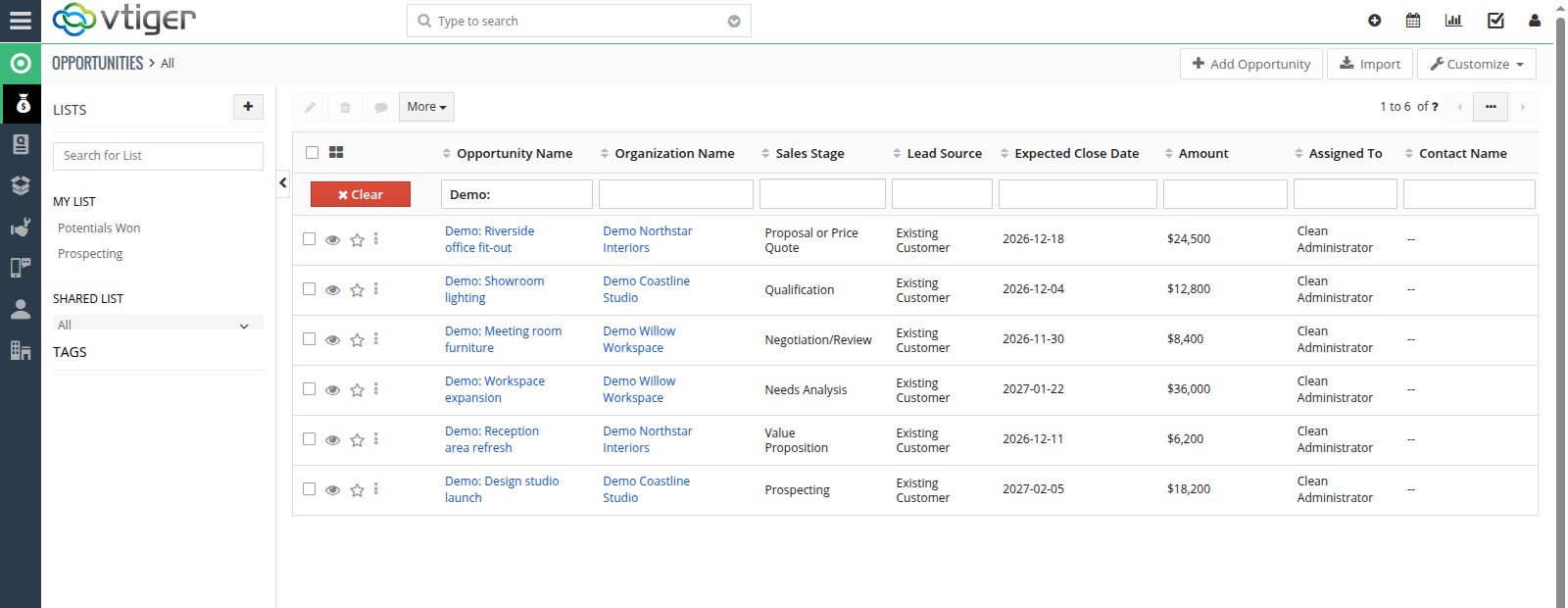
My main frustration with Vtiger has been its interface. The CRM has plenty to offer, but its appearance can make it feel as though nobody has touched the design in years. You get used to it, learn where the buttons are and stop noticing how much space the surrounding panels take up.
Yet this is software people open every day. They look up customers, review deals, check what was agreed and plan the next call. I wanted those everyday tasks to feel more comfortable.
So I built ModernUI, a new Vtiger CRM theme for Open Source 8.4. It’s ready to use. Here’s a look at the actual interface and the changes you’ll notice in day-to-day work.
Why I wanted to update the Vtiger interface
A company’s Vtiger installation often represents a lot of work: customer records, custom fields, sales history and reports built around the business. There’s real value in that setup. Wanting a more modern interface makes sense, too.
I wanted to keep that familiar CRM and improve the parts people use constantly: menus, lists, record pages and forms. I took visual inspiration from Vtiger’s cloud interface and built ModernUI for the Open Source edition running on your own server.
More room for your customers and deals
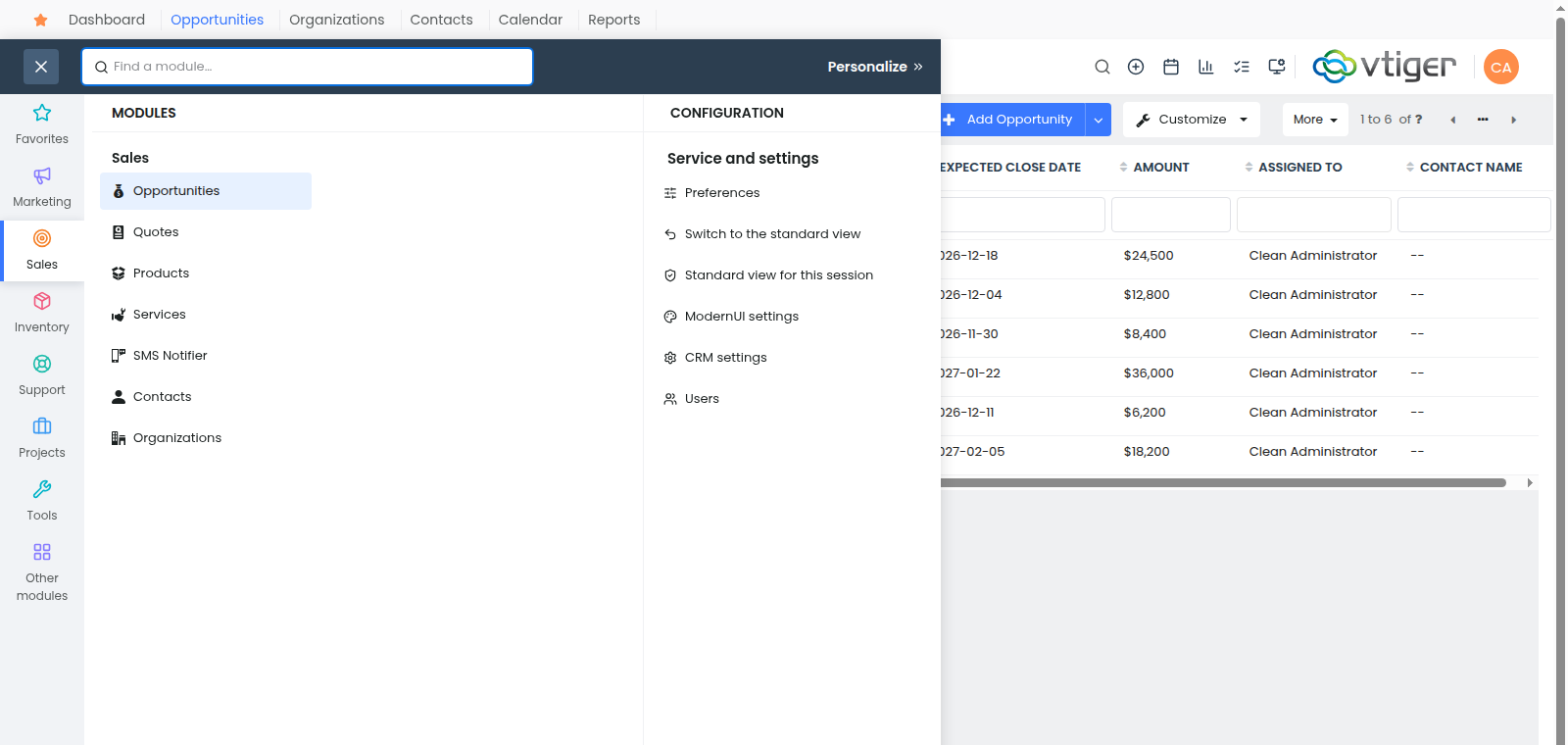
In ModernUI, the list uses almost the full width of the workspace. A compact menu takes the place of the permanent side panels, and you can pin frequently used modules along the top.
Open Opportunities and you can see deal names, sales stages, amounts and expected close dates. Need a particular customer or status? Search and filters are still there, along with sorting, record selection and the usual list actions.
On a laptop, that extra room is particularly welcome. Screen space is limited, and I’d rather use it for the information I’m working with.
Open a record without losing the list
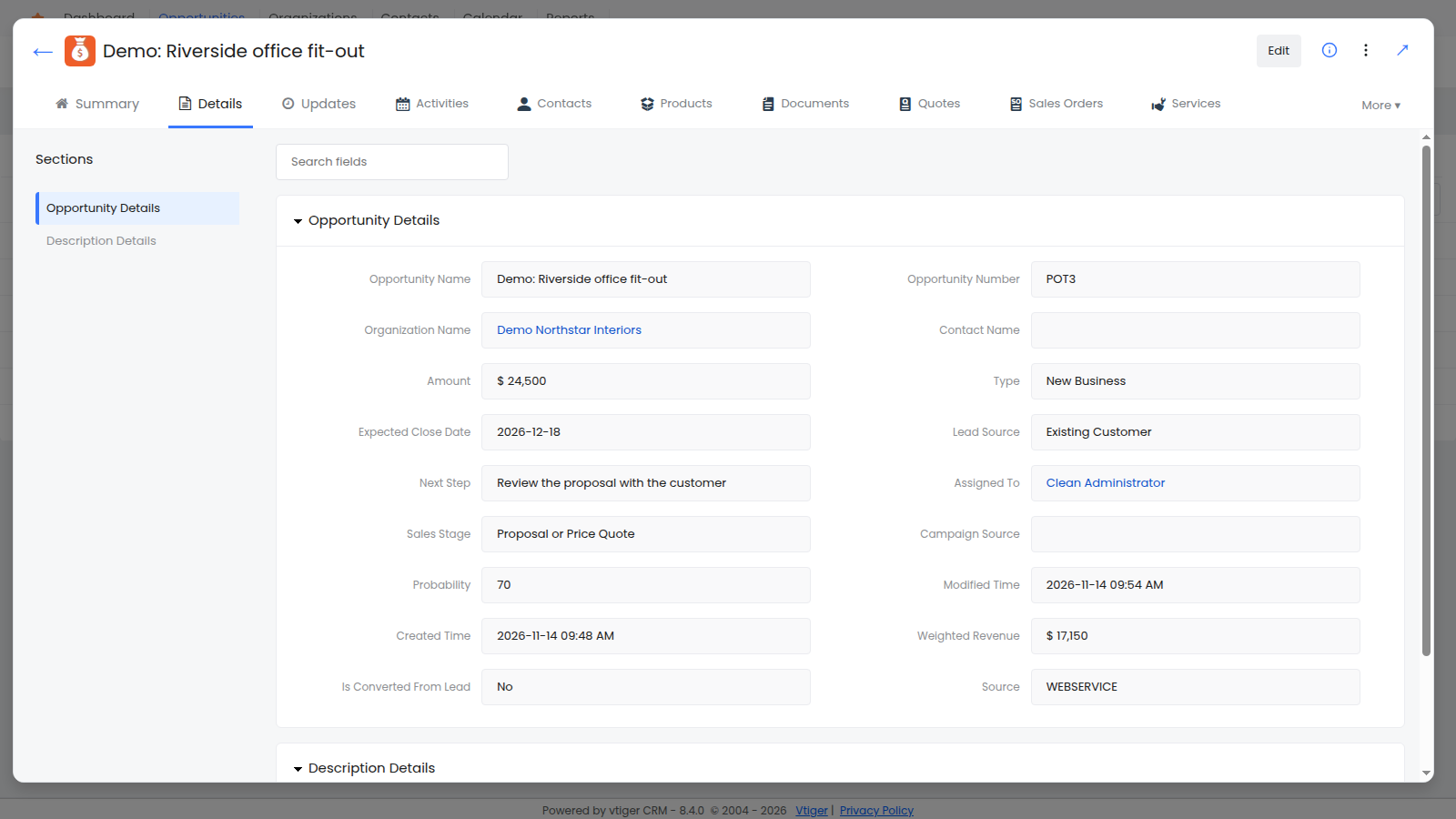
Take a routine task: going through open deals to check the next step for each one. ModernUI can open a record in a large window over the list. Review its details, look at related records and close the window when you’re done. The list is still there.
Inside the record, tabs and sections organize the information. Field search helps you find a particular item by name, which is useful when your CRM has a long list of custom fields.
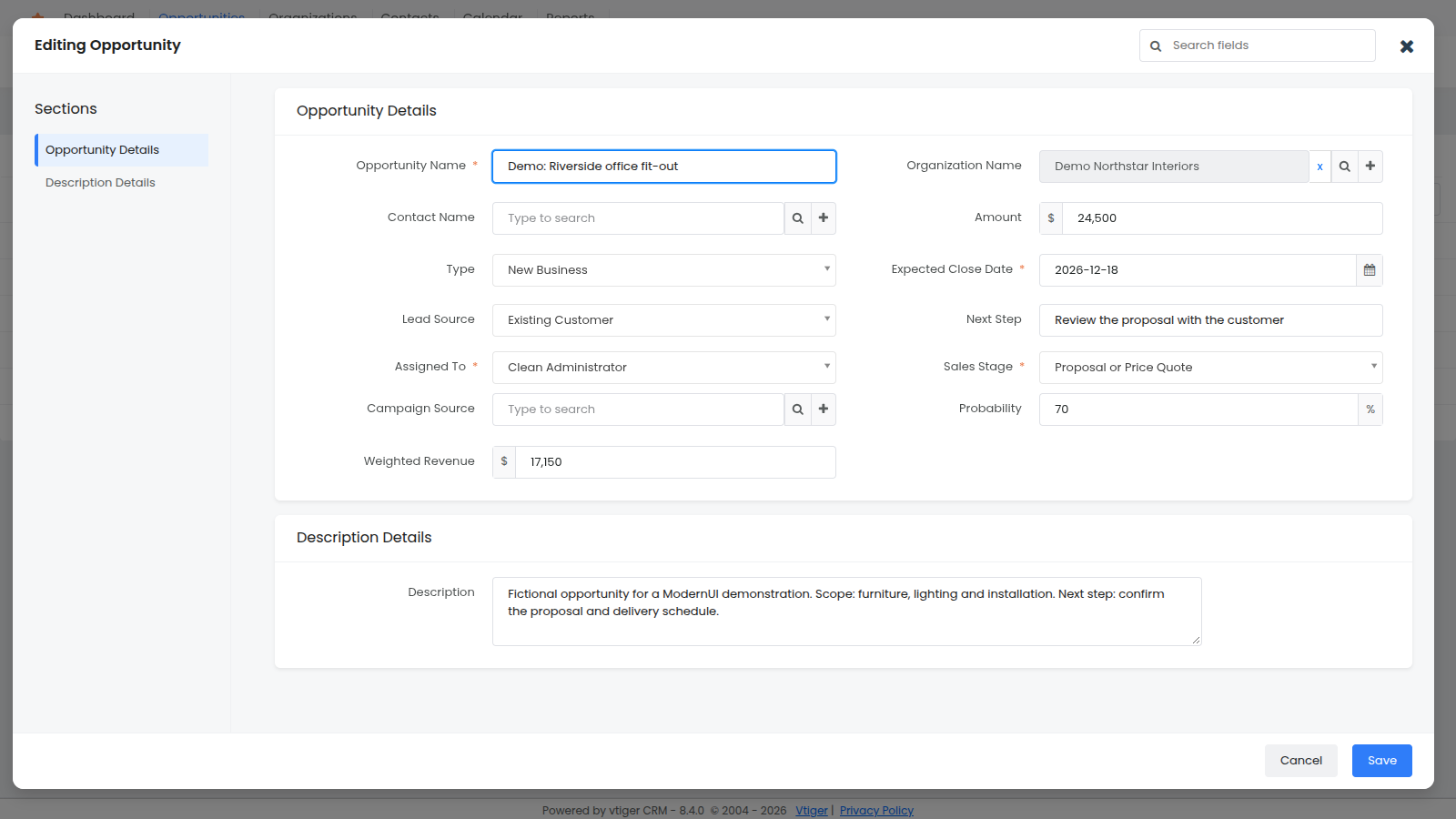
Edit forms follow the same design. Fields are grouped into clear sections, section navigation sits to the side and the save controls are at the bottom of the window. You’re working with the same records in your existing CRM.
Keep the modules you use within easy reach
The ModernUI menu includes search. If you can’t remember where a module lives, start typing its name. You can also add Opportunities, Organizations, Calendar or Reports to your favourites for everyday access.
An administrator can reorder the menu, organize modules into groups and hide unnecessary entries. Access to the underlying records still follows the permissions set in Vtiger.
Make the interface comfortable for you
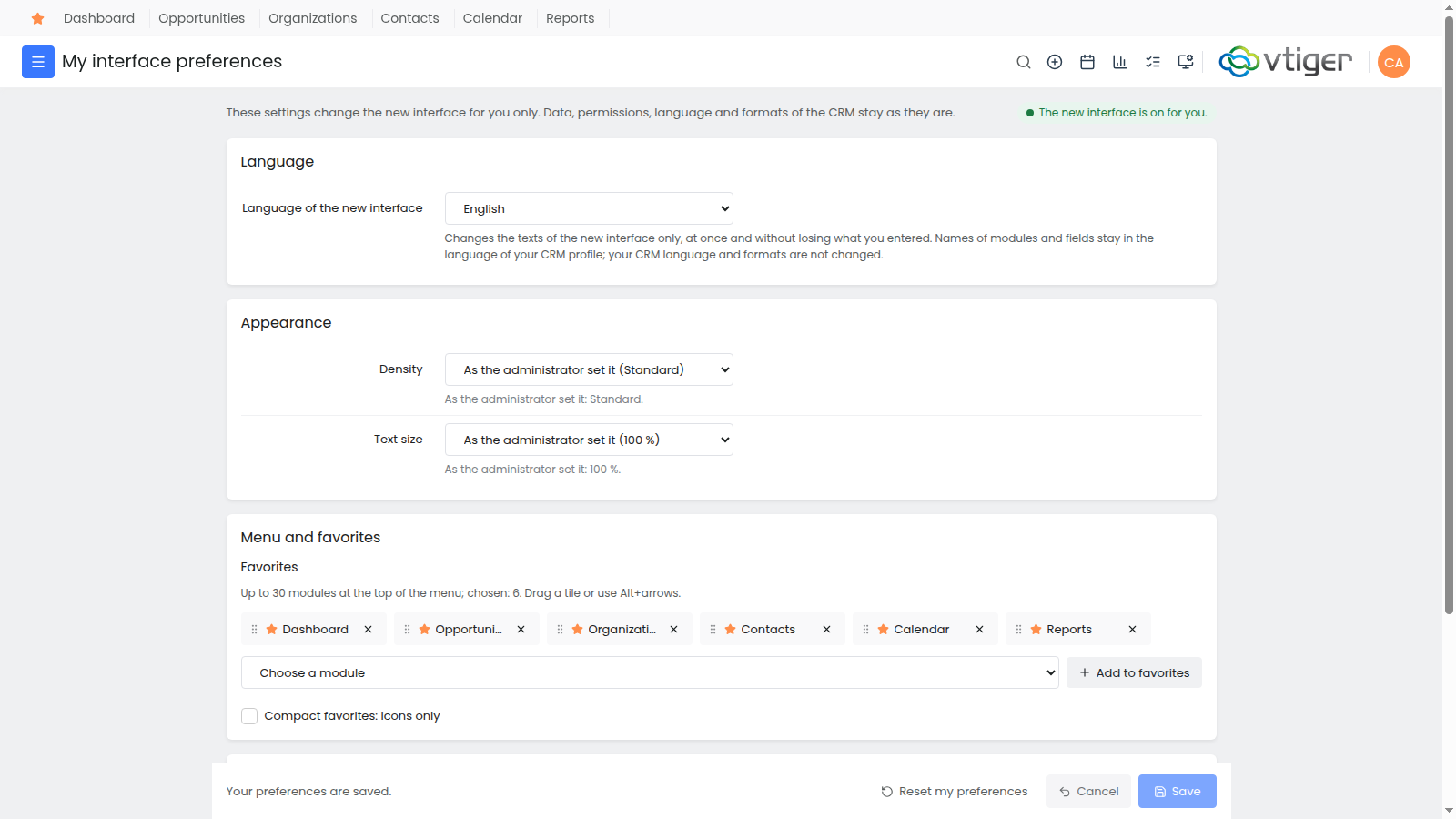
Some people prefer more rows on the screen. Others want larger text and more space between items. ModernUI lets users choose text size and interface density within the options their administrator allows.
Company-wide settings cover colours, fonts and a logo. ModernUI’s own controls and settings are available in English, German and Russian. Business field labels and other modules use the translations installed in your CRM.
What does a Vtiger interface upgrade involve?
ModernUI installs as an add-on for Vtiger Open Source 8.4. You don’t need to move your customer database to another service to get the new design. Your CRM continues to run on your own server.
You can start with one user or a small group, check your lists and records, try your everyday tasks and then enable it for the rest of the team. The standard interface remains available.
If you’re using an older Vtiger release, the first step is to plan the version upgrade. Custom features and third-party extensions should also be checked on a copy of your system before rollout. The right approach depends on how your CRM is set up.
ModernUI is an open-source project. You can find the theme’s description and source code in the ModernUI repository on GitHub.
Want to update your Vtiger CRM?
If Vtiger still does what your business needs but you’d like a more comfortable interface, get in touch. I can help with the Vtiger upgrade, ModernUI installation and appearance settings for your team.
To get started, tell me which Vtiger version you use and what gets in your way most often. I’ll review your customizations and extensions and suggest a practical way to update your CRM.