If you switch between several repositories throughout the day, you know the routine: open a terminal or file picker, remember where that particular service lives, navigate there, and launch your editor.
JetBrains users have long appreciated the Projects view in JetBrains Toolbox for solving this friction. But if your daily toolkit on Linux revolves around fast, standalone tools like Zed, Sublime Text, and Ghostty, there hasn't been a clean, editor-agnostic equivalent that stays out of your way.
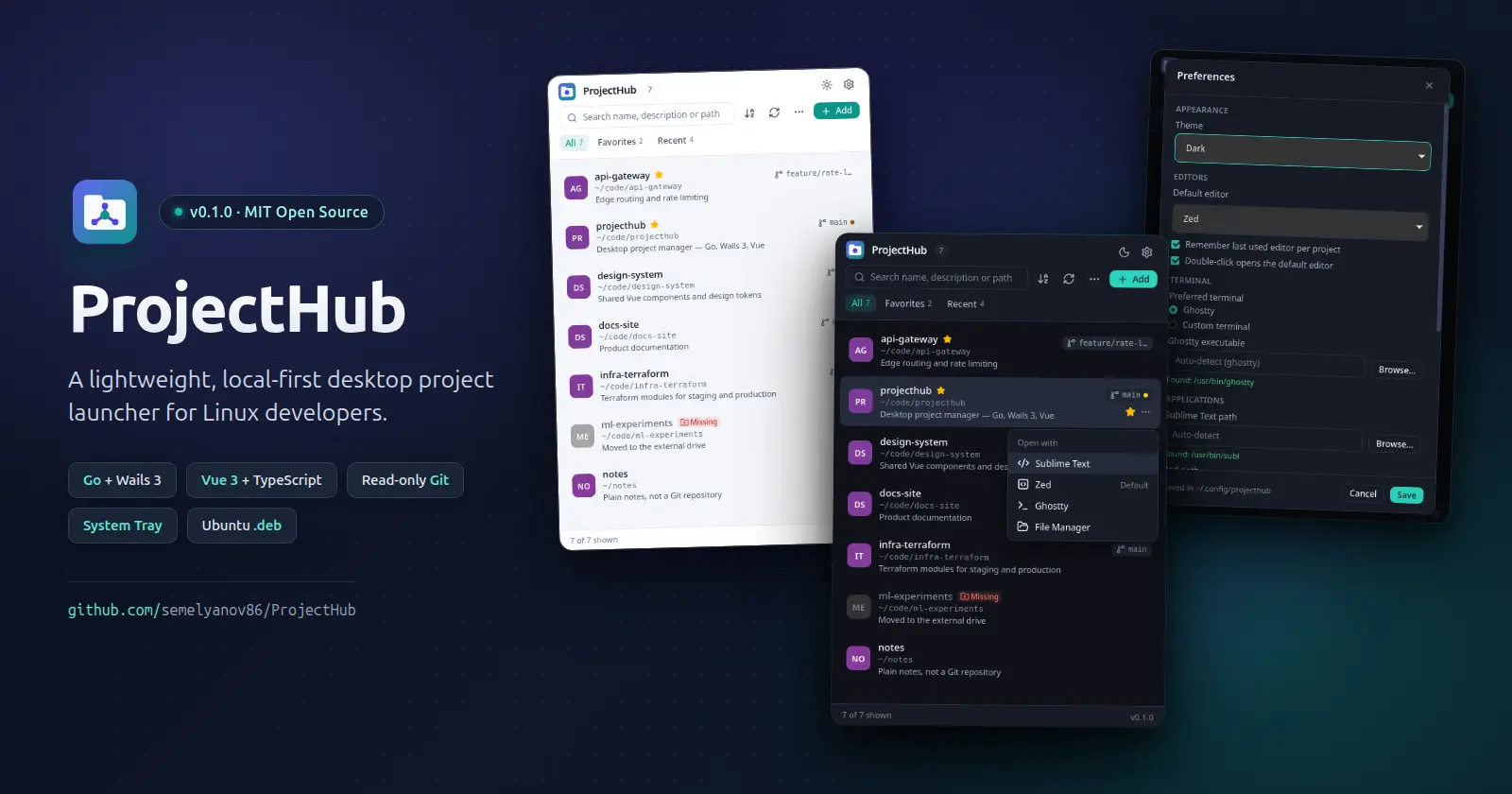
That is why I built ProjectHub — a lightweight, local-first desktop project launcher for Linux (Ubuntu 24.04 LTS / 26.04 LTS, GNOME) that keeps every local repository one click or one tray menu item away.
Philosophy: Local-First and Focused
ProjectHub doesn't try to replace your editor, terminal, or Git client. There are no user accounts, no cloud sync, and no telemetry. Your entire catalog and configuration live locally in two plain, XDG-compliant JSON files (~/.config/projecthub/projects.json and settings.json).
Key Features (v0.1.0)
- One-click project catalog. Add folders via the native picker or drag and drop directories straight onto the window (single or batch). Give each project a custom name, description, favorite star, and optional per-project default editor. Removing a project only unregisters it—never touching files on disk.
- Open with your favorite tools. Supports Zed and Sublime Text, Ghostty (using single-instance
+new-window on 1.3+ with automatic fallback) or any custom terminal via argument templates (with presets for Ptyxis, GNOME Terminal, kitty, Alacritty, WezTerm, and Konsole), plus your system file manager (gio open / xdg-open or a custom executable).
- Read-only Git status at a glance. See the current branch (or short commit hash on detached HEAD), a dot for uncommitted tracked changes, ahead/behind counts in the tooltip, and a clear
Missing badge when a folder no longer exists.
- Favorites, Recent, search & keyboard workflow. Switch between All, Favorites, and Recent, filter instantly by name, description, or path (
Ctrl+F), sort by name or last opened, and navigate with the keyboard (↑/↓, Enter, Ctrl+Enter, F2, Delete).
- System tray & single instance. Jump straight into your 8 most recently opened projects from the StatusNotifierItem tray menu (supported out of the box on Ubuntu via AppIndicators). Closing the window minimizes to the tray when a tray host is available, or cleanly quits when there isn't one. Launching
projecthub a second time brings the existing window back into focus.
- JSON import & export. Move your catalog between machines with a full preview of new, duplicate, and missing paths—choosing either Merge or Replace (which saves a timestamped backup of your existing
projects.json).
- Light, dark, and system themes, remembered window dimensions, and an optional always-on-top mode.
Under the Hood
ProjectHub is built with Go 1.26+, Wails 3 (GTK 4 + WebKitGTK 6.0), and Vue 3 (<script setup lang="ts">, strict TypeScript, Tailwind CSS v4, and Pinia):
- Strict separation of concerns. The Go backend owns all filesystem, process, dialog, and Git operations. The Vue frontend communicates exclusively through typed Wails bindings by project ID and never passes raw filesystem paths to read or write.
- No shell injection. External applications are spawned directly with
exec.Command and discrete argument slices—never through sh -c or bash -c, safely handling spaces and special characters in directory paths.
- Hardened, read-only Git inspection. Status checks are concurrency-bounded (up to 4 workers) and time-limited (3 seconds per repository), never fetch over the network, sanitize inherited
GIT_* environment variables, and disable core.fsmonitor and repository-defined filter drivers so inspecting an untrusted repo cannot execute arbitrary hooks.
- Atomic config persistence. JSON files are written with
0600 permissions via a temp file, fsync, atomic rename, and directory fsync. Corrupted config files are surfaced with an actionable error instead of being silently overwritten.
Try & Install ProjectHub
ProjectHub is open source under the MIT License, distributed as a .deb package for Ubuntu 24.04 LTS and 26.04 LTS (amd64), and easy to build from source with task.
👉 GitHub Repository: github.com/semelyanov86/ProjectHub
📦 Download Latest Release (.deb + SHA256SUMS): github.com/semelyanov86/ProjectHub/releases/latest
Install on Ubuntu:
sha256sum --check --ignore-missing SHA256SUMS
sudo apt install ./projecthub_*_amd64.deb
Once installed, launch ProjectHub from your GNOME applications menu or pin it to your dock. Give it a try—feedback, issues, stars, and pull requests on GitHub are very welcome!